
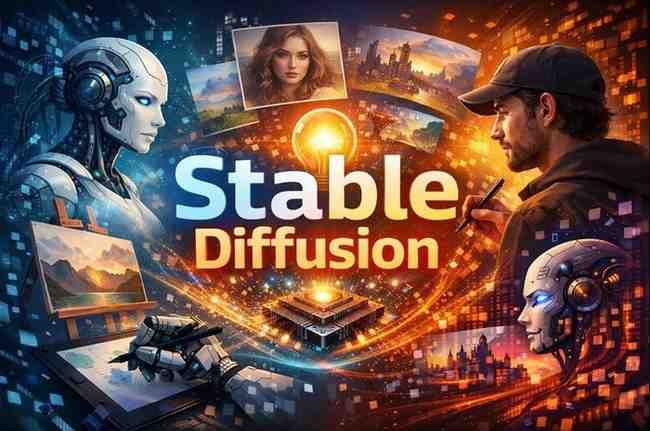
Description
Artificial intelligence has drastically changed how images are created. What once required years of artistic training and expensive tools can now begin with a single text prompt. Among the many AI image generators available today, Stable Diffusion stands apart — not because it is the flashiest, but because it is open, customizable, powerful, and creator-controlled.
Stable Diffusion is not just an AI art tool. It is a creative framework, a technology that artists, developers, designers, and hobbyists can bend to their will. This openness has sparked an explosion of innovation, experimentation, and debate.
In this deep review, we’ll explore what Stable Diffusion truly is, how it works in real life, where it excels, where it struggles, and who should (and should not) use it.
What Is Stable Diffusion?
Stable Diffusion is a text-to-image generative AI model capable of creating highly detailed images from written prompts. Unlike many closed AI platforms, Stable Diffusion is designed to be:
-
Locally runnable
-
Customizable
-
Extendable
-
Community-driven
Instead of being locked behind a single website or interface, Stable Diffusion exists as a technology ecosystem used across multiple apps, tools, and workflows.
The Philosophy Behind Stable Diffusion
Stable Diffusion was built on a powerful idea:
AI image generation should be open, modifiable, and controlled by creators — not just corporations.
This philosophy attracted:
-
Independent artists
-
Developers
-
Researchers
-
Open-source communities
As a result, Stable Diffusion evolved faster than many proprietary alternatives.
How Stable Diffusion Works (Simple Explanation)
At its core, Stable Diffusion:
-
Starts with visual noise
-
Uses a learned understanding of images and language
-
Gradually “denoises” the image
-
Produces a picture that matches the text prompt
What makes it unique is not just the process — but the level of control users have over that process.
Accessibility: Local vs Cloud Use
Stable Diffusion can be used in two main ways:
Local Installation
Users run Stable Diffusion on their own machines using:
-
A compatible GPU
-
Open interfaces
-
Custom settings
This offers:
-
Full privacy
-
Complete customization
-
No usage limits
Online Platforms
Many platforms host Stable Diffusion with:
-
Simplified interfaces
-
Lower hardware requirements
-
Limited customization
Both approaches serve different audiences.
Custom Models and Community Innovation
Stable Diffusion’s open nature has led to an explosion of:
-
Custom checkpoints
-
Fine-tuned models
-
Style-specific versions
-
Character-focused models
Artists can train or use models optimized for:
-
Anime
-
Realism
-
Illustration
-
Architecture
-
Fashion
-
Concept art
This flexibility is unmatched.
Prompt Engineering: Where the Magic Really Happens
Using Stable Diffusion effectively requires learning prompt engineering.
Good prompts include:
-
Style descriptors
-
Camera angles
-
Lighting instructions
-
Composition hints
-
Artistic references
This turns image generation into a creative skill rather than a push-button trick.
Image Editing and Advanced Control
Stable Diffusion supports advanced workflows like:
-
Image-to-image generation
-
Inpainting (editing parts of images)
-
Outpainting (expanding images)
-
Upscaling
-
Control maps for pose and depth
These features move Stable Diffusion beyond novelty into professional creative work.
Stable Diffusion for Artists and Designers
Artists use Stable Diffusion for:
-
Concept ideation
-
Style exploration
-
Mood boards
-
Rapid iteration
-
Background generation
Rather than replacing creativity, it accelerates experimentation.
Stable Diffusion for Businesses and Marketing
Businesses benefit by:
-
Generating custom visuals
-
Reducing stock photo dependency
-
Speeding up creative cycles
-
Personalizing campaigns
However, human direction is essential to ensure brand alignment.
Stable Diffusion for Developers and Technologists
Developers love Stable Diffusion because:
-
It’s open-source friendly
-
Integrates easily into apps
-
Supports automation
-
Encourages experimentation
It’s a sandbox for innovation.
Creative Freedom vs Ease of Use
This is one of Stable Diffusion’s biggest trade-offs.
Stable Diffusion offers:
✅ Maximum control
❌ Steeper learning curve
Users must be willing to:
-
Learn interfaces
-
Understand parameters
-
Troubleshoot setups
For some, this is empowering. For others, frustrating.
Quality of Output: How Good Are the Images?
With the right prompts and models, Stable Diffusion can create:
-
Stunning realism
-
Painterly illustrations
-
Cinematic scenes
-
Stylized characters
However, results vary depending on:
-
Model choice
-
Prompt skill
-
Hardware capability
In inexperienced hands, outputs may feel inconsistent.
Ethical and Creative Debates
Stable Diffusion sits at the center of discussions about:
-
AI-generated art
-
Artist rights
-
Authorship
-
Creative ownership
Because it is open, these debates are unavoidable and ongoing.
Performance and Hardware Demands
Running Stable Diffusion locally requires:
-
A capable GPU
-
Technical setup
-
Storage for models
Cloud versions remove these barriers but limit control.
Stability and Reliability
Once configured, Stable Diffusion is:
-
Extremely powerful
-
Stable in long sessions
-
Consistent with saved settings
Initial setup can be challenging, but results scale well.
Stable Diffusion vs Closed AI Image Tools
Stable Diffusion prioritizes:
-
Freedom over simplicity
-
Customization over guardrails
-
Community over corporate control
Closed platforms prioritize ease and safety.
Neither is objectively better — they serve different users.
Pros of Stable Diffusion
-
Open and highly customizable
-
Can run locally for privacy
-
Massive community support
-
Advanced editing capabilities
-
Supports many artistic styles
-
No forced branding or restrictions
-
Ideal for experimentation
Cons of Stable Diffusion
-
Steep learning curve
-
Requires decent hardware
-
Inconsistent results for beginners
-
Setup can be technical
-
Less beginner-friendly interfaces
-
No single “official” user experience
Who Should Use Stable Diffusion?
Stable Diffusion is ideal for:
-
Digital artists
-
Illustrators
-
Designers
-
Developers
-
AI researchers
-
Experimenters
-
Users who want full control
-
Creators who enjoy learning tools
If you value freedom and flexibility, Stable Diffusion excels.
Who Should NOT Use Stable Diffusion?
Stable Diffusion may not suit:
-
Absolute beginners wanting instant results
-
Users without capable hardware
-
People who dislike technical setup
-
Those seeking fully automated outputs
-
Users preferring strict content filters
For simplicity, hosted AI tools may be easier.
Best Practices for Getting the Best Results
To use Stable Diffusion effectively:
-
Learn prompting fundamentals
-
Explore community models
-
Experiment with settings
-
Save successful prompts
-
Combine AI output with human editing
Stable Diffusion rewards effort and curiosity.
The Long-Term Impact of Stable Diffusion
Stable Diffusion represents a shift:
-
From tools owned by companies
-
To tools shaped by communities
Its influence extends beyond art into how creativity itself is defined in the AI era.
Is Stable Diffusion Worth Using?
Stable Diffusion is not the easiest image generator — but it is one of the most powerful and liberating.
If you want:
-
Full creative control
-
Custom models
-
Advanced image editing
-
An open AI ecosystem
-
Freedom from platform limits
Then Stable Diffusion is absolutely worth using.
It is not designed to impress beginners instantly.
It is designed to empower creators endlessly.
And for those willing to learn it, Stable Diffusion is not just a tool —
it’s a creative revolution.


Reviews
There are no reviews yet.